The short answer
Custom fields let you keep a fact on each subscriber, such as the page they signed up on. Make the field once, read the key Kit returns, and send that key in fields. Check the warnings list in every answer, because a wrong name doesn't make the call fail.
What we sent in fields | Status | What Kit saved |
|---|---|---|
"Signup page" and "Tools used" (the labels) | 201 | Nothing: both fields null, plus 2 warnings "Unknown custom field key" |
"signup_page" (the key) | 201 | The page address |
"tools_used" with PUT on the subscriber id | 200 | "Link Preview", page address kept |
"tools_used" with a second POST for the same email | 200 | "Link Preview, Site Check", page address kept |
What buyers worry about, and what we found
"Will a typo in a field name break my sign-up form?"
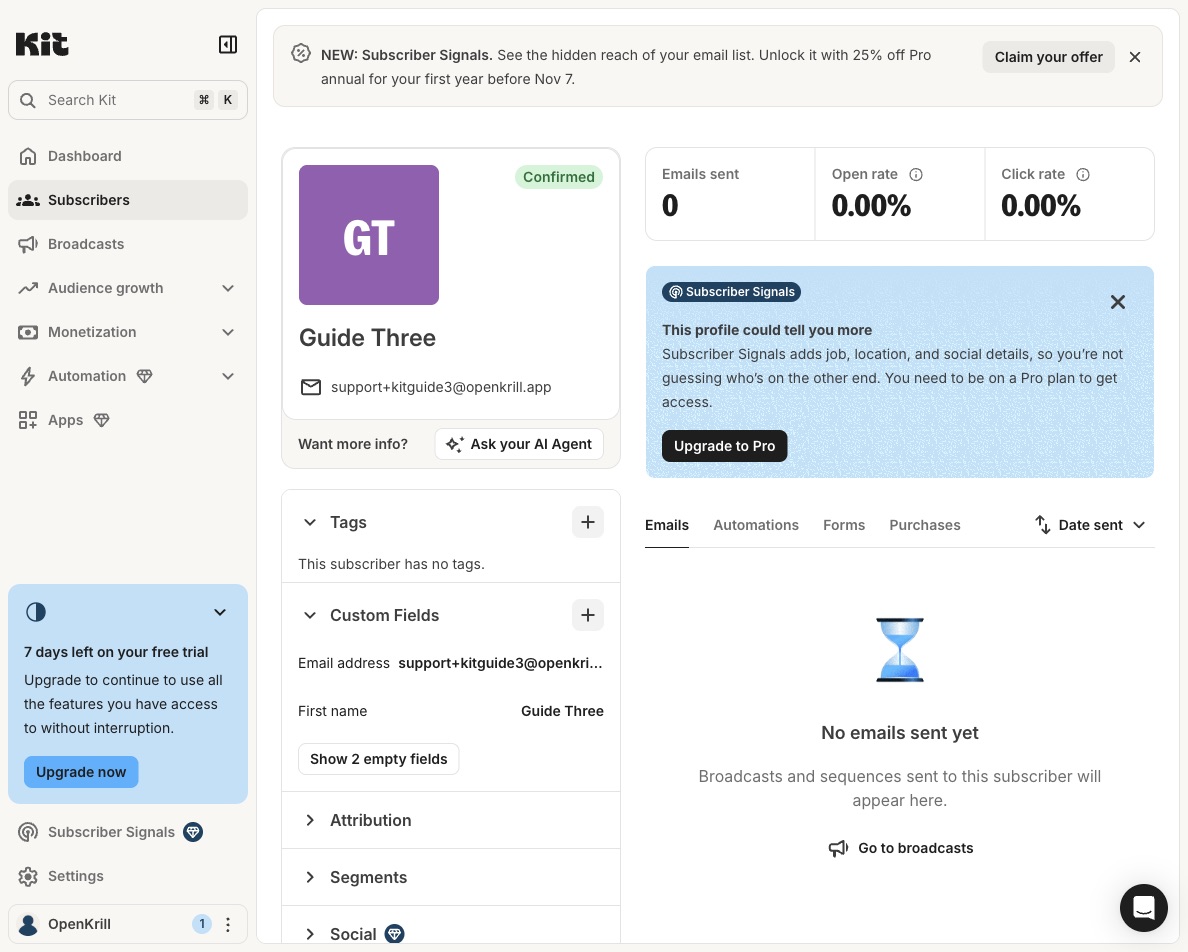
It won't, and that's the problem. Kit still created the subscriber and returned 201, so a sign-up form keeps working. The value is just gone. In the Kit app, that subscriber's Custom Fields panel listed only the email and first name, with "Show 2 empty fields" under them.
"Where do I find the key?"
In the answer you get when you make the field. We sent the label "Signup page" and got back the key signup_page and an internal name, ck_field_1411370_signup_page. Kit lowercased the label and put underscores where the spaces were. GET /v4/custom_fields lists all of them later.
"Does updating one field wipe the others?"
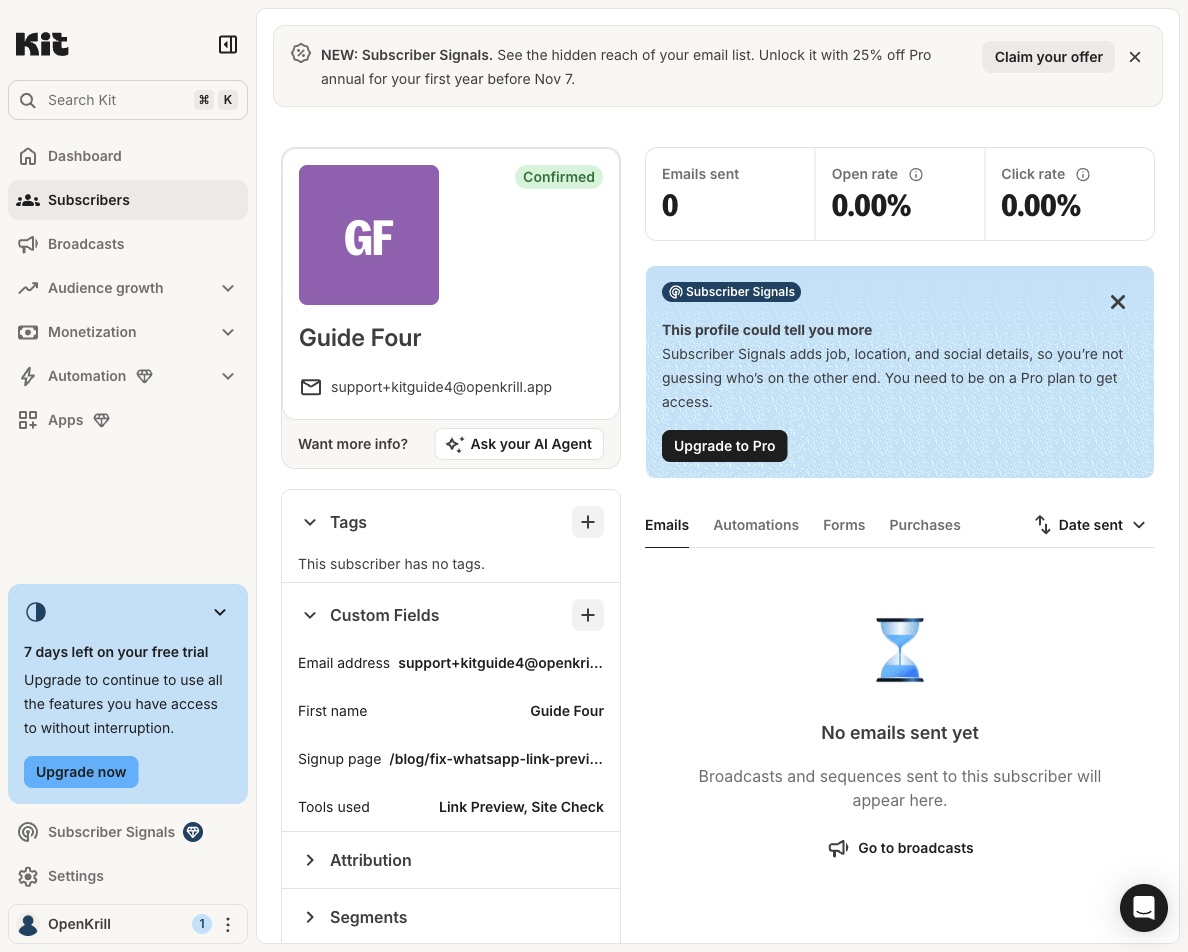
It didn't. A PUT on the subscriber and a second POST with the same email each changed only the field we sent. The second POST came back 200 instead of 201, so you can use it to update from a form when you don't store Kit's subscriber id.
"How fast are the calls?"
All 10 calls in this run answered in 1.06 to 1.55 seconds.
How we ran it
We used our Kit account and one API key from the developer settings, sent in the X-Kit-Api-Key header.
- Make the fields.
POST /v4/custom_fieldswith{"label": "Signup page"}, then again for "Tools used". Note eachkey. - Add a sign-up with a field.
POST /v4/subscriberswithemail_address,first_nameand"fields": {"signup_page": "/blog/..."}. - Add a field later. Use
PUT /v4/subscribers/{id}or the same POST again, with only the new field infields. - Watch for warnings. If the answer has a
warningslist, log it or stop. In our test, that list was the only sign a field had been dropped.
curl -X POST https://api.kit.com/v4/subscribers \
  -H "X-Kit-Api-Key: $KIT_API_KEY" \
  -H "Content-Type: application/json" \
  -d '{"email_address": "reader@example.com", "fields": {"signup_page": "/blog/some-post"}}'
When a paid plan makes sense
Custom fields and the API work on the free plan, which allows up to 10,000 subscribers. A field like the sign-up page earns its keep when you send different emails by it. Kit's segments group people by fields and tags, and our account had none yet (GET /v4/segments returned an empty list). Sequences that branch on a field need Creator or higher, so that's the point to pay.
What this test does not show
- 2 test subscribers and 2 text fields on one account on one day.
- We didn't make a segment, or test how fast one picks up a new field value.
- We didn't test bulk imports or Kit's own forms with custom fields.
Frequently asked questions
Why is my Kit custom field empty after an API call?
You probably sent the field's label instead of its key. In our test, Kit still returned 201 but saved null, with the warning "Unknown custom field key".
How do I update a Kit subscriber's custom field with the API?
Use PUT /v4/subscribers/{id}, or POST /v4/subscribers again with the same email. Both changed only the field we sent and kept the rest.
What key does Kit give a custom field?
The label lowercased, with underscores for spaces. "Signup page" became signup_page in our test.
Sources
- Kit API v4 documentation: the custom field, subscriber and segment calls we made.
- Kit plans: Free up to 10,000 subscribers, sequences on Creator and higher.
- Our Kit tag test: tagging sign-ups through the same API.
- Our first Kit test: a scheduled broadcast through the same API.